
The industry’s most comprehensive
Film & TV scoring database
The quick short answer - Most users don't network and don't own FMP so
the RT (Runtime) is the way to go.
But please read on to make sure.
First, what's the difference?
With the FS (FileMaker Solution) verson you gain the ability to network. The added functionality is there because you are runing CC with FileMaker Pro. It really has nothing to do with CC. FileMaker only allows networking while you are running their app.
The RT (Run Time) version is basically a compact version of FileMaker Pro that developers were allowed to distribute with their solutions which allows users to run their solutions and not have to purchase FMP.
The RT version is not a "Lite" version with missing functionality.
You gain one thing running the FS version NETWORKING, that's it!
Use the RT Version if:
You don't own FMP and have no immediate need to network.
There is no addition cost if you decide you need to switch to the FS
version later.
Use the FS Version if:
You already own FileMaker Pro.
CCv5 runs with FMP v16 and up OS X 10.11-15.x
If you need to log onto a hosted CC file ( Networking)
A CueChronicle v5 purchase includes 3 registrations ( 1 CPU,1 USB and 1 iPad ) to be used on devices owned by the purchaser.
As of 2019, if it has been more than a year since you purchased Cue Chronicle and new versions have been made available, there will be a charge to register a new device.
CPU - your software is linked to your computers serial number.
USB - a standard USB memory sticks serial number is used to register your software. Similar to how ILok software protection works. This allows you to open your projects on any computer as long as the registered USB device is connected. The USB device functions normally as a storage device.
iPad - your software is linked to your iPads serial number.
Registered users can purchase additional USB registrations.
Things to consider:
1. Will you be using FileMaker Pro to host your projects with a server?
The computer being used as your server will need to be registered either via CPU or with a USB device for you to do so.
This would be the computer to use a CPU registration on, saving the USB registration to be used when you do not have access to your server. To log on to a hosted CueChronicle project you do not need to have CueChronicle installed on your computer, but you will need the FileMaker Pro or FileMkaer Go application installed on the device you are using to log on with.
2. Do you use different assistants to enter data into your projects? With the USB registration you could move the projects between your computers without having to re-register the project. Copy the project to the new computer, insert your registered USB stick and open the project. When you're finished, move the project and USB stick back to your computer and continue working.
3. Does your company have multiple computers used by different users and FileMaker server capability? The CPU registration could be used for your server computer while your USB registration will allow CueChronicle RT to be used by different employees that do not own FileMaker Pro. Registered users can purchase additional USB registrations. Details
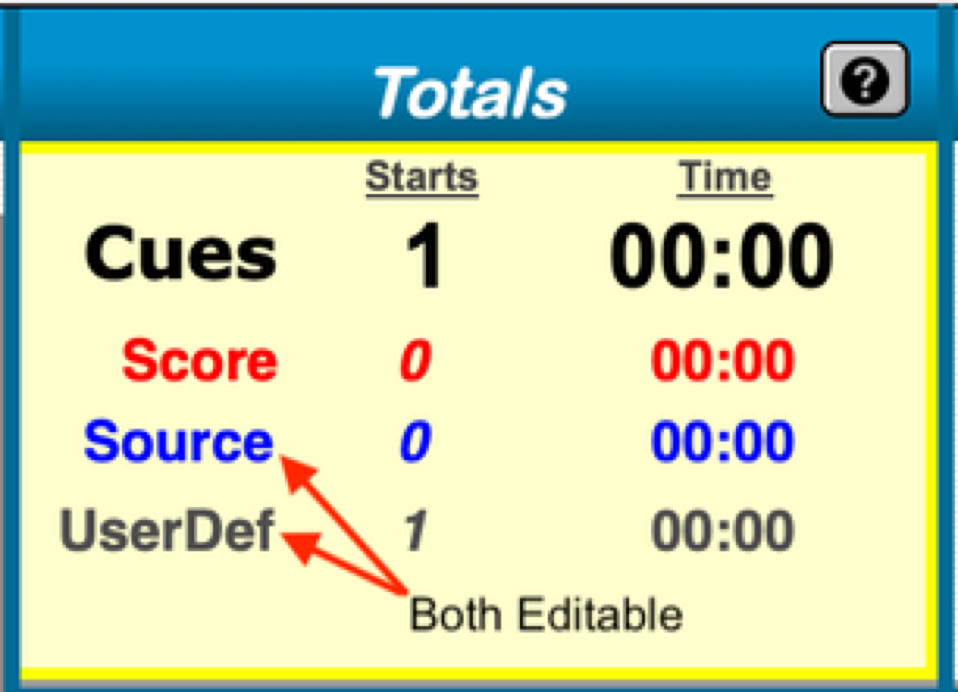
- Navigate to any layout in the Checklist Section
- Scroll down to the totals area
- In the main totals box click the label to edit it
Google Doc Tutorial
© Vincent Cirilli 2025